
Distracting elements take attention away from the main subject in photos. Eliminating these disturbances strengthens visual impact and storytelling.
Identify Distractions
Look for bright objects near edges. Clutter such as wires, signs, or litter disrupts frame balance. People or poles overlapping subjects cause confusion. Stray limbs or odd reflections pull the viewer’s focus unpredictably.
Prevent at Capture

Remove unnecessary objects from the scene. Adjust your shooting angle or position to exclude distractions. Use objects or subjects to block distractions when removal is impossible.
Use Composition
Crop carefully to clean edges, reduce clutter, and enhance subject prominence. Apply the rule of thirds to create balanced framing that naturally guides focus away from distractions.
Control Depth of Field
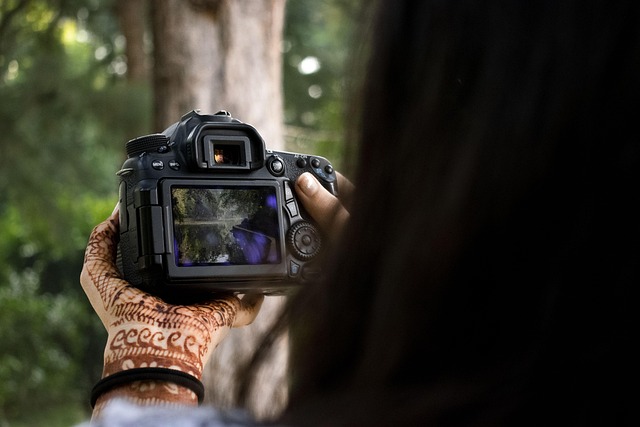
Employ wide apertures to blur distracting backgrounds. Selective focus reduces secondary element prominence while sharpening the subject.
Manipulate Light and Shadow
Utilize soft light and shadows to deemphasize distracting areas. Darkening or desaturating bright spots helps blend distractions into the background.
Post-Processing Tools
Healing brush and clone stamp tools fix minor distractions such as specks or color spots. Content-aware fill helps remove larger unwanted objects by intelligently filling gaps.
Mobile apps like Snapseed and Lightroom mobile provide healing tools for quick distraction removal on smartphones.
Maintain Authenticity
Avoid overuse of editing tools to keep images natural and believable. Focus removal efforts on elements unrelated to the photo’s story or subject.
Final Tip
Regularly scan image edges for distractions. Clean frames increase clarity and viewer engagement.