Introduction
Best photo retouching software for portrait photography is essential when you want portraits to look polished, natural, and professional. The right software can help you refine skin, brighten eyes, remove distractions, and correct small imperfections without making the image look over-edited. For portrait photographers, this balance between enhancement and realism is what separates a good edit from a great one.
Portrait retouching is not just about smoothing skin. It is about keeping the subject looking like themselves while improving the overall finish of the image. Different software tools are built for different workflows, so the best choice depends on whether you want speed, precision, or advanced creative control.
Why Portrait Retouching Software Matters
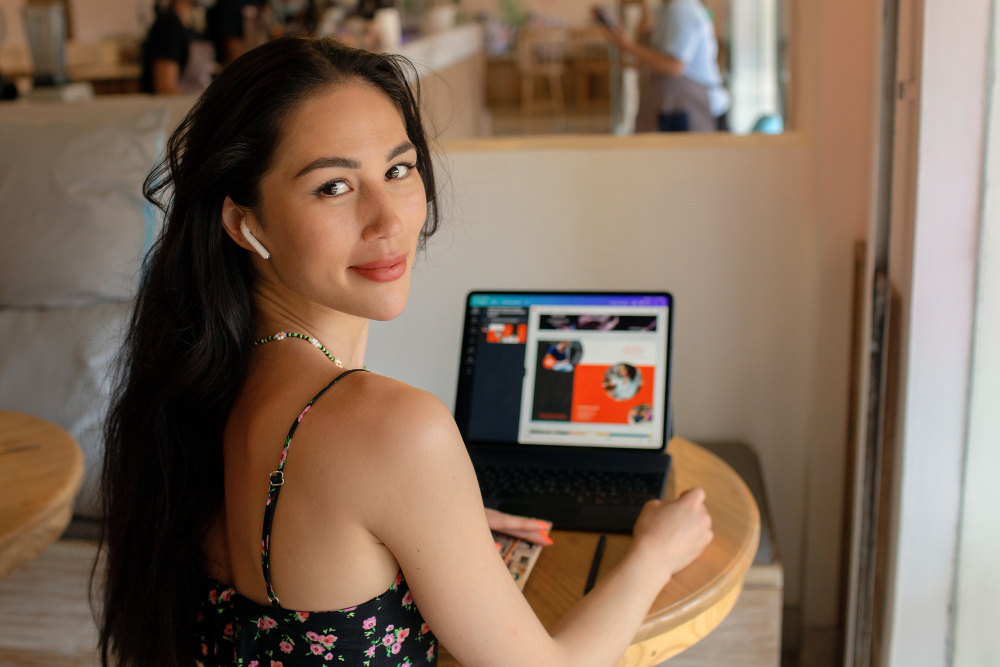
Portraits often need more careful editing than other photo types because the viewer focuses directly on the face, skin, and expression. Small flaws that might not matter in a landscape photo can become very noticeable in a headshot or beauty portrait. Good retouching software gives you the ability to improve the image while preserving a believable look.
It also saves time. Instead of manually editing every detail from scratch, modern software can automate skin cleanup, eye enhancement, and blemish removal. That is especially useful for photographers who shoot large portrait sessions, client headshots, or beauty work on a regular basis.
Adobe Photoshop
Adobe Photoshop remains one of the most powerful options for portrait retouching. It gives photographers full control over skin cleanup, compositing, layer masks, dodge and burn, and precision adjustments. If you want detailed manual retouching, it is still one of the strongest tools available.
Photoshop is especially valuable when you need pixel-level control. You can remove blemishes, refine facial features, adjust clothing or background details, and create highly polished portraits. Its flexibility makes it a favorite for photographers who want complete control over the final look.
The downside is that it takes time to learn. Photoshop is not the fastest option for beginners, but it is excellent for retouchers who want to build a custom workflow and maintain professional-grade results.
Adobe Lightroom
Lightroom is not as advanced as Photoshop for detailed retouching, but it is still a key part of many portrait workflows. It works well for global adjustments, batch edits, color correction, exposure balancing, and basic masking. For large portrait sessions, Lightroom can save a lot of time before you move into deeper retouching.
Its strength lies in organization and speed. You can cull, sort, adjust, and export images efficiently while keeping your edits non-destructive. Many photographers use Lightroom as the foundation of their workflow and then send selected images to Photoshop for fine retouching.
If your portrait work is fast-paced, Lightroom is a practical and reliable choice. It is especially useful when you need consistent edits across many images from the same session.
PortraitPro
PortraitPro is designed specifically for portrait retouching, which makes it one of the easiest tools for this type of work. It uses AI-driven features to enhance skin, facial structure, and overall portrait appearance quickly. According to the company, it is built for fast, intuitive portrait editing with naturally beautiful results.
This software is a strong option for photographers who want results fast without spending hours on manual adjustments. It can help with skin smoothing, face shaping, and general portrait enhancement while staying relatively user-friendly. That makes it appealing to both beginners and busy working photographers.
PortraitPro is especially useful if you want a dedicated retouching app rather than a general photo editor. Its focus on faces and portraits helps streamline the editing process for people-based photography.
Evoto AI
Evoto AI has become popular because it combines ease of use with powerful automated portrait tools. It is built for fast retouching and is often praised for being intuitive enough that new users can get started quickly. It is a strong choice if you want polished portraits without a steep learning curve.
The software is known for handling core portrait tasks like skin cleanup, face enhancement, and other beauty adjustments efficiently. That makes it especially helpful for photographers who edit large numbers of portraits and need speed without sacrificing quality.
Evoto AI works well for photographers who want modern, AI-assisted workflows. If your priority is producing clean portrait edits quickly, it is one of the more practical tools to consider.
Retouch4me
Retouch4me is a specialized retouching solution that focuses on automating difficult portrait tasks. It is commonly used to speed up skin retouching, dodge and burn, eye brightening, and similar refinements. For photographers who already work in Photoshop, it can act as a powerful workflow booster.
One of its biggest advantages is realism. Since it is designed for targeted portrait fixes, it can help create polished results without making skin look overly blurred or artificial. That makes it attractive for professionals who want efficiency but still care about natural texture.
Retouch4me is best for users who already understand portrait editing and want to reduce repetitive manual work. It is especially useful in high-volume workflows.
Luminar Neo
Luminar Neo is a good option for photographers who want AI-assisted portrait editing with a creative feel. It offers tools for skin enhancement, portrait adjustments, background cleanup, and general image improvement. That combination makes it flexible for photographers who want more than just basic correction.
The software is appealing because it reduces the amount of time needed for routine edits. It can be especially helpful for users who want attractive results without spending too much time learning advanced manual retouching techniques.
Luminar Neo is a solid choice for photographers who want a faster, more guided editing experience. It sits somewhere between simple consumer software and full manual retouching tools.
Which Software Fits Your Workflow
The best choice depends on how you work. If you want maximum control and professional precision, Photoshop is still the strongest option. If you need organization and batch editing, Lightroom is a smart companion tool.
If you want portrait-specific AI tools, PortraitPro, Evoto AI, and Retouch4me are all worth serious consideration. PortraitPro is especially beginner-friendly, Evoto AI is fast and intuitive, and Retouch4me is ideal for targeted, realistic refinements.
If you want a simpler creative editor with AI support, Luminar Neo may be the right fit. The best retouching software is not the one with the most features; it is the one that helps you edit consistently, naturally, and efficiently.
Final Thoughts
The best photo retouching software for portrait photography depends on your style, volume of work, and editing goals. Photoshop and Lightroom remain the most established professional combo, while PortraitPro, Evoto AI, Retouch4me, and Luminar Neo offer faster portrait-focused alternatives.
If you want detailed manual control, go with Photoshop. If you want speed and simplicity, choose an AI-assisted tool. The most important thing is finding software that helps you create flattering portraits while keeping the subject looking natural and true to life.