Introduction
Best photography editing software to transform your photos is one of the most important tools a photographer can choose. The right editor can turn a good image into a polished, professional-looking final photo by improving color, contrast, sharpness, tone, and overall mood. Whether you are editing portraits, landscapes, fashion shots, product images, or social media content, software choice can make a major difference in your workflow and final results.
There is no single perfect program for everyone. Some photographers need advanced retouching tools, while others want fast AI-powered edits or a simple mobile app for quick adjustments. The best editing software depends on your skill level, your budget, and the kind of photos you create most often.
Why Editing Software Matters
Editing software is where your creative vision comes together. Even well-shot images usually need some post-processing to correct light, balance colors, and bring out detail. A strong editor helps you refine the image without making it look artificial.
It also saves time. The best software speeds up repetitive tasks like culling, cropping, color correction, noise reduction, and exporting. That efficiency matters when you are managing a busy photography business or a large personal portfolio.
Most importantly, editing software helps define your style. Some editors are better for natural, clean looks, while others make it easier to build dramatic, cinematic, or highly stylized images. Choosing the right software helps you stay consistent across your work.
Adobe Lightroom
Adobe Lightroom is one of the most popular choices for photographers because it combines editing and organization in one place. It is especially useful for batch editing, RAW processing, and managing large photo libraries. If you work with many images at once, Lightroom can save a lot of time.
Its strengths include exposure control, color grading, presets, and non-destructive editing. You can adjust images without permanently changing the original file, which gives you flexibility as your style evolves. Lightroom is a strong option for portraits, weddings, events, travel, and content creation.
The software is also widely supported by tutorials, presets, and community resources. That makes it easier for beginners to learn and for professionals to keep refining their workflow. For many photographers, Lightroom becomes the central hub of their editing process.
Adobe Photoshop
Adobe Photoshop is the best-known tool for detailed retouching and advanced creative editing. It is especially useful when you need layer-based control, precise masking, compositing, or complex object removal. If Lightroom is for overall polish, Photoshop is for fine detail and creative manipulation.
Portrait photographers often use Photoshop for skin cleanup, background work, dodge and burn, and advanced retouching. Commercial and product photographers may use it for cleanup, precision edits, and complex visual design. It is not the fastest tool for batch editing, but it is one of the most powerful.
Because of its depth, Photoshop has a learning curve. Still, once you understand layers, masks, and adjustment tools, it becomes an incredibly versatile part of any professional workflow. For photographers who want maximum control, it is still one of the strongest choices available.
Capture One
Capture One is widely respected for its color accuracy and professional studio workflow. Many photographers love it because it gives excellent RAW processing and very precise color control. It is especially popular for fashion, product, and studio work.
One of its biggest strengths is tethered shooting, which is useful when a photographer wants to review images live during a session. It also supports detailed color grading and a cleaner, more technical workflow. If your work depends on controlled lighting and accurate skin or product tones, Capture One is worth serious consideration.
The interface may feel less familiar to some users at first, especially if they are used to Lightroom. But for photographers who want a studio-focused editor with strong color tools, it is one of the most respected programs in the industry.
Luminar Neo
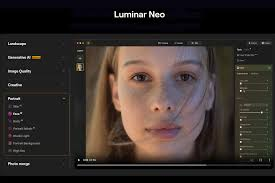
Luminar Neo is a strong option for photographers who want quick, AI-assisted edits. It offers tools for sky replacement, portrait enhancement, background adjustment, and other time-saving features. This makes it especially useful for photographers who want polished results without spending hours on manual work.
The software is popular with users who prefer a creative and intuitive editing experience. It is also a good choice for people who want strong results but are not interested in a complex professional interface. For many users, it offers a nice balance between power and simplicity.
Luminar Neo works well for portrait, landscape, and lifestyle photography. If you want fast transformations and stylish edits, it is one of the most user-friendly options in the market.
Affinity Photo
Affinity Photo is a strong Photoshop alternative for photographers who want a one-time purchase instead of a subscription. It offers layer editing, retouching, compositing, and many advanced features that appeal to serious users. That makes it a popular choice for budget-conscious creatives.
It is especially attractive to photographers who want professional tools without monthly software fees. The performance is solid, and the feature set covers many of the same tasks that photographers need in everyday editing. It is a good fit for people who want advanced control but prefer a more affordable long-term option.
Although it may not have the same industry dominance as Adobe, it is still a highly capable editor. For many photographers, Affinity Photo is one of the best value choices available.
Free and Open-Source Options
Not every photographer needs premium software from the start. Free tools like GIMP, Darktable, and RawTherapee can be very useful, especially for beginners or hobbyists. They are a good way to learn the editing process before investing in a paid platform.
These tools are often strongest in RAW processing, basic corrections, and technical editing. They may not feel as polished or fast as paid options, but they still deliver a lot of value. If your budget is tight, free software can help you build skills without financial pressure.
The tradeoff is usually convenience and speed. Paid tools often provide smoother workflows, better support, and more integrated features. Still, free software remains an excellent starting point for many photographers.
Mobile Editing Apps
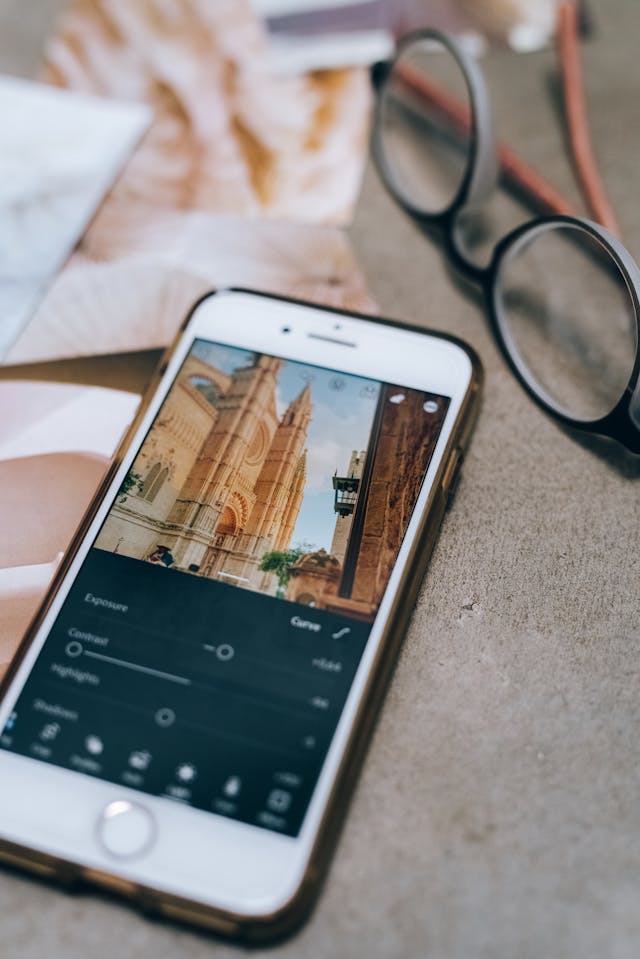
Mobile editing has become a major part of modern photography. Apps like Snapseed, Lightroom Mobile, and other advanced phone editors make it easy to process photos on the go. This is especially useful for social media creators, travel photographers, and anyone who publishes quickly.
Mobile apps are ideal for fast color correction, cropping, exposure adjustment, and simple creative edits. They are not always as deep as desktop software, but they are convenient and surprisingly powerful. For many photographers, the phone has become an essential backup editing tool.
If your work depends on speed and portability, mobile editing apps can be a smart part of your workflow. They let you preview and publish quickly without needing a full computer setup.
How to Choose the Right Software
The best editing software depends on your goals. If you want all-purpose editing and photo management, Lightroom is a strong choice. If you need advanced retouching and creative control, Photoshop is hard to beat. If you work in studio or commercial settings, Capture One may be the better fit.
Budget also matters. Subscription software can be very powerful, but one-time purchase options may be better if you want lower long-term costs. Beginners may prefer a simpler tool with an easier learning curve, while professionals may want more technical control.
Think about your workflow before deciding. The right software should not just edit your photos well; it should also help you work faster and more comfortably. When the software fits your style, the whole editing process feels smoother.
Final Thoughts
The best photography editing software to transform your photos is the one that matches your workflow, your budget, and your creative style. Lightroom, Photoshop, Capture One, Luminar Neo, Affinity Photo, and free alternatives each serve different needs. What matters most is finding a tool that helps you produce polished, consistent, and visually strong images.
Great editing software does not replace good photography, but it can elevate strong images into something much more impactful. Once you choose the right editor and learn it well, your photos will become more refined, professional, and ready to share or sell.